Digitize the assignment lifecycle with Ellifo Homework Pro. Empower teachers to distribute rich-media tasks and students to submit work via mobile, while keeping parents fully synchronized.
"Excellent work on the diagrams, Rahul!"
Students frequently forget to note down assignments from the blackboard.
Parents have no real-time way to track what homework is pending daily.
Vital projects and assignments lost due to physical damage or misplacement.
Absent students struggle to get homework updates from classmates.
Attach PDFs, YouTube explainers, or voice notes to any assignment for deeper conceptual clarity.
Students can snap a photo of their written work and upload it directly through the mobile app.
Evaluated assignments with teacher remarks are pushed instantly to students for immediate learning.
Parents receive push notifications for every new task and evaluation, keeping them in the loop.
Real-time charts for teachers to see how many students have submitted vs. pending work for any given class.
Access historical assignments and study materials from any previous date throughout the academic year.
Digital Distribution
Instant App Alert
Student App Upload
Feedback & Marks
A paper homework diary depends on a child correctly copying an assignment off the blackboard, carrying that notebook home undamaged, and a parent remembering to check it every evening. Any one of those steps failing means a missed assignment, and none of it gives a teacher visibility into who's actually behind. Ellifo Homework Pro removes the notebook from that chain entirely — the assignment is created once, digitally, and every stakeholder sees the same version at the same time. Multiply that fragility across thirty students in a class and it's not surprising that a meaningful share of "forgotten" homework was never actually the student's fault — it was a breakdown somewhere in a paper-based relay that had too many points where information could simply not arrive.
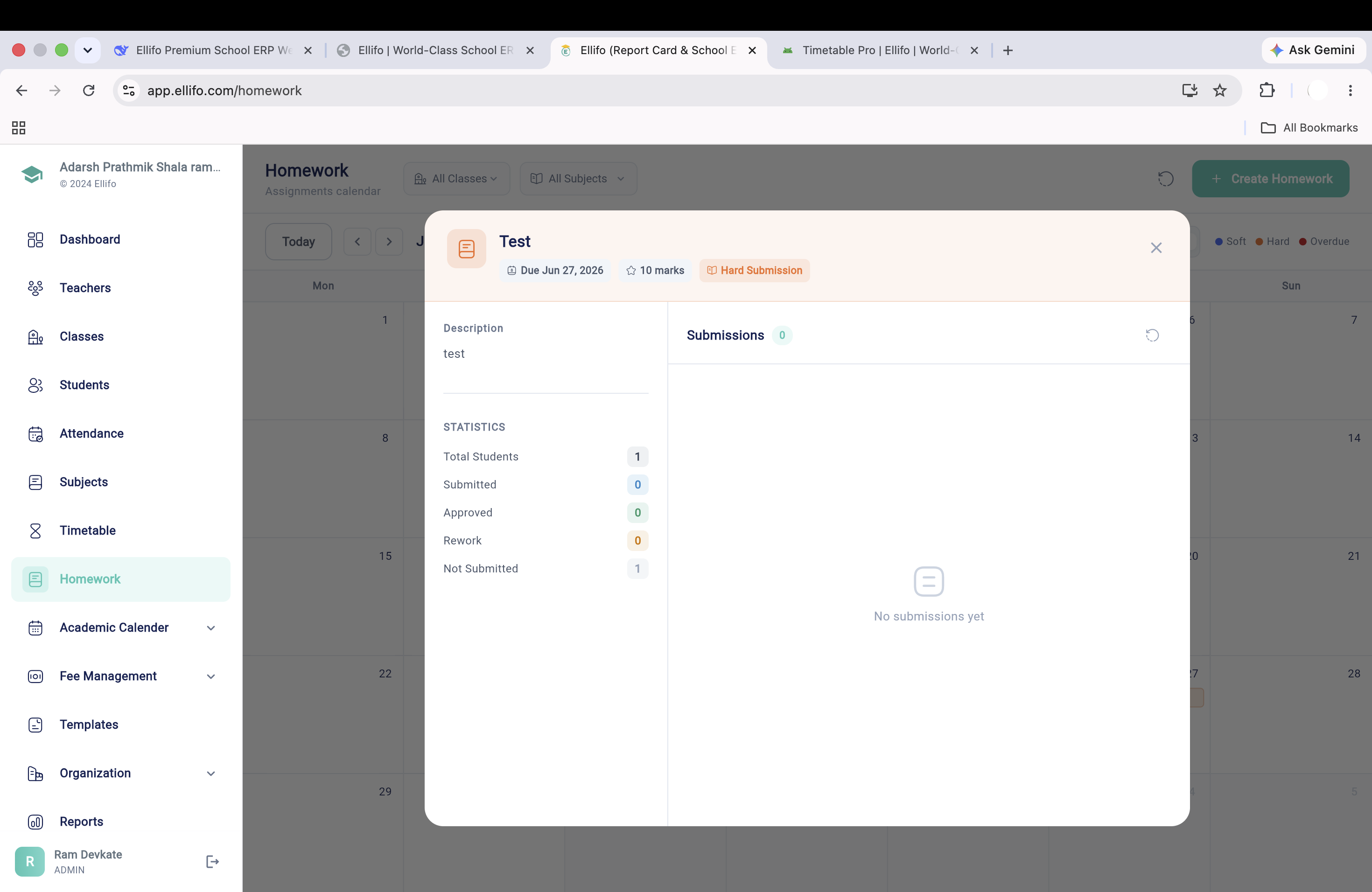
The Smart Cycle shown above — Assign, Notify, Submit, Grade — is the actual path an assignment takes. A teacher creates a task with Multimedia Tasks attached where useful, the class and parents are notified instantly, students submit through Photo Submissions or a direct upload, and the teacher grades and returns Instant Feedback from the same screen. Nothing passes through a separate messaging app or a printed handout in between. For a subject teacher juggling six sections, this also means creating one assignment and targeting it to multiple classes at once, rather than repeating the same task manually for every section on the timetable.
Parent App Sync isn't a convenience feature — it's what turns homework completion from a classroom-only concern into a shared responsibility. When a parent can see a "Pending" task the moment it's assigned, follow-up happens at home the same evening rather than being discovered a week later during a parent-teacher meeting. Schools consistently report fewer excuses about "not knowing" once this visibility is switched on for every family. It also removes a common source of friction between school and home: instead of a parent hearing "I forgot" after the fact, they see the task the moment it's assigned and can help their child plan the evening around it.
Primary and middle-school teachers use it to keep a written trail of what was assigned and when. Subject teachers in higher grades rely on the Completion Tracker to see submission rates before a class begins, instead of asking a room full of students to raise their hands. Coaching classes and boarding schools, where a parent isn't present each evening, use the Digital Archive so no student loses access to a task simply because they missed a day. Even school leadership benefits indirectly — a principal reviewing submission trends across grades can spot a class that's consistently behind before it shows up as a pattern in exam results months later.
Yes. Teachers can attach YouTube links, Google Drive links, or direct MP4/PDF files to any homework. These are accessible instantly on the students' mobile devices.
Students can use the built-in scanner in the Ellifo app to capture photos of their written pages or upload finished digital documents. Each submission is time-stamped for accountability.
Yes. Parents have a dedicated dashboard where they can see 'Pending' tasks. The system can also send automated alerts for assignments that have passed their submission deadline.
Yes. Teachers can target a whole class, a section, or a hand-picked group of students — useful for remedial work, differentiated learning, or make-up assignments for absentees.
Yes. Recurring assignments like weekly spelling tests or worksheet sets can be saved as templates and re-issued with a new due date in seconds, instead of being recreated from scratch.
Yes. Assignments are linked to the subject and period they belong to, so students see homework organized against their actual daily schedule rather than a flat, undated list.
Reminder notifications go out at set intervals before a deadline, not just once, and the Completion Tracker lets teachers spot classes with low submission rates early enough to nudge them.
Join the digital revolution. Bring Ellifo Homework Pro to your institution today.