Automate your mandatory school reporting. From U-DISE and Category-wise enrollment to complex Fee and Attendance summaries. One-click Excel exports for every government requirement.
Administrators spend weeks manually compiling U-DISE data across various registers.
Manual tabulation of SC/ST/OBC categories often leads to incorrect government filings.
Difficulty in retrieving historical attendance or fee records during government audits.
Converting internal school data into strict department-specific formats is a tedious task.
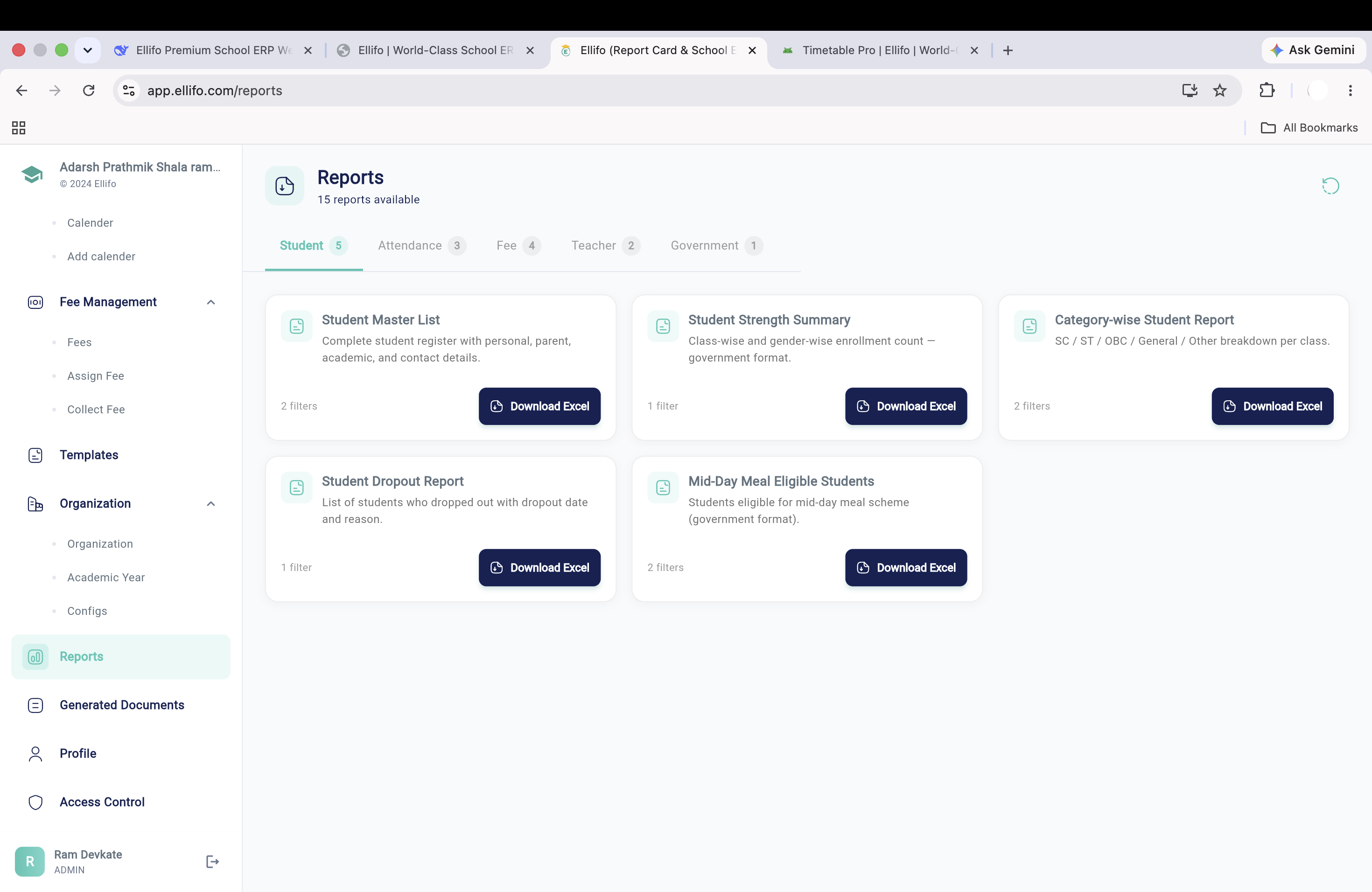
Complete student register with personal, parent, academic, and contact details.
Class-wise and gender-wise enrollment count in government format.
SC / ST / OBC / General / Other breakdown per class as required by departments.
Detailed list of students who dropped out with reasons for government tracking.
Students eligible for mid-day meal scheme in official government layout.
Student-wise present/absent count for any selected month and year.
Day-wise attendance for every student in a class for a custom date range.
Identify students below 75% threshold for proactive institutional action.
All payment transactions for a date range with precise receipt details.
Instant list of students with pending or overdue fees across any class.
Total fee demanded, collected, and outstanding balance per class.
Overview of all active fee heads and structures defined in the system.
All faculty with contact details, roles, and class assignments.
Academic distribution report: who teaches what, where, and when.
Class-wise gender and category breakdown mapped exactly to government portals. Generate in seconds, not weeks.
Generate U-DISE ReportAutomatic daily capture
Standard & Year logic
Raw Production-Ready data
Portals ready in one-click
Don't settle for static PDFs. Ellifo generates raw, editable Excel files that you can further analyze or upload directly to government web portals without any modification.
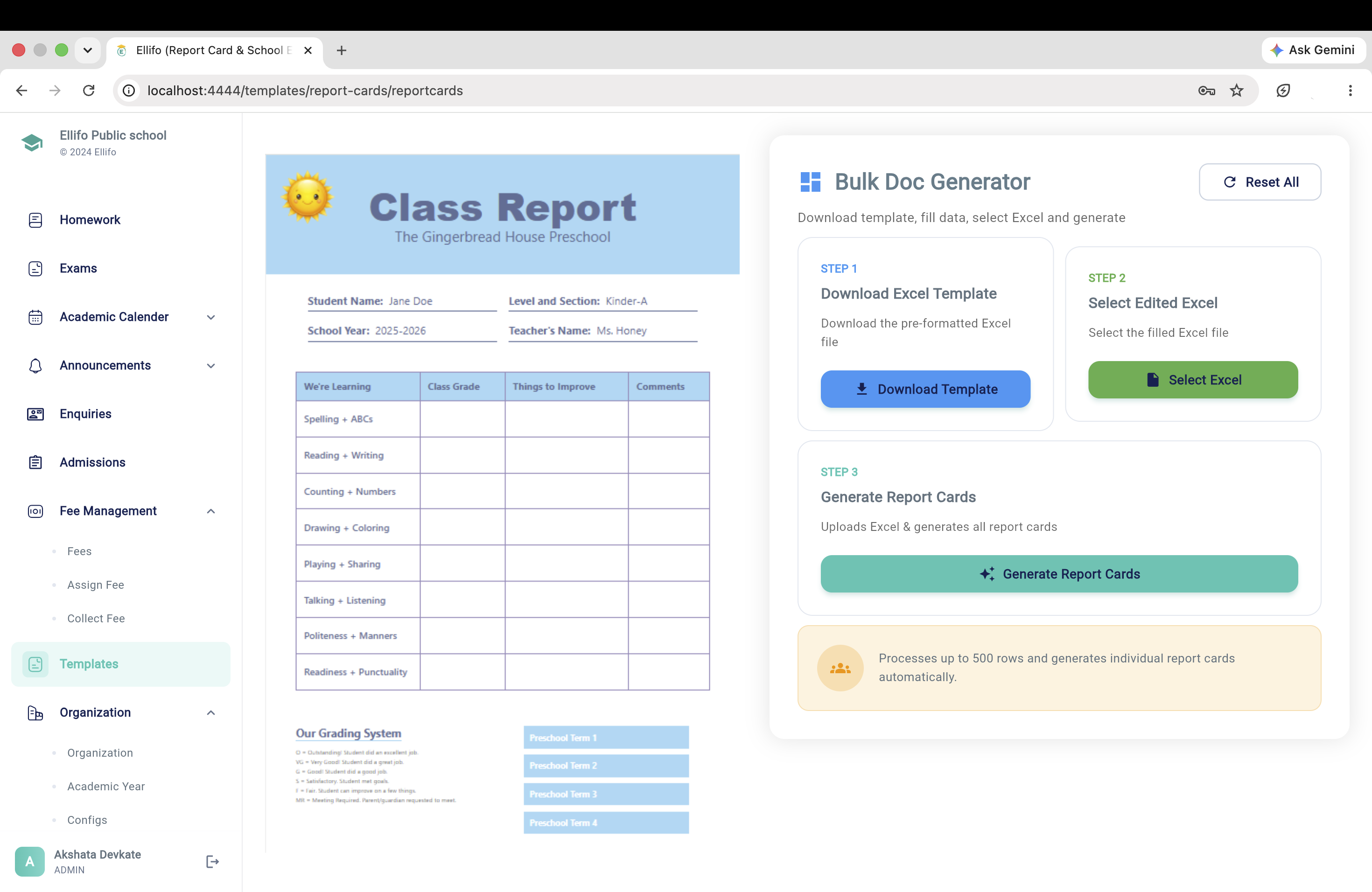
Turn raw school data into strategic insights. Our Excel reports are structured for clarity, allowing institutional leaders to monitor enrollment trends, financial health, and academic performance at a glance.
The Unified District Information System for Education asks for far more than a headcount: class-wise and gender-wise enrollment, category breakdown, infrastructure details, teacher qualifications, and scheme participation like mid-day meals, all cross-checked against each other for internal consistency. The U-DISE Enrollment feature described above pulls these fields directly from data your school is already capturing through daily operations — admissions, attendance, and staff records — instead of asking an administrator to re-key the same numbers into a separate portal-ready spreadsheet every year.
SC/ST/OBC/EWS/General breakdowns feed into everything from RTE reimbursement claims to scholarship eligibility audits, and a single miscounted student can throw off a class-wise submission. Because the Category-wise Report pulls straight from each student's verified admission record rather than a manually maintained tally sheet, the numbers stay consistent across every report that references them — the U-DISE filing, the RTE claim, and any internal audit trail all draw from the same source of truth.
Government education reporting runs on the academic year while fee and financial compliance often runs on the April–March financial year — a mismatch that trips up schools relying on a single spreadsheet for both. Ellifo's reporting hub lets an administrator pick either cycle independently per report, so a U-DISE enrollment snapshot and a fee collection statement for the same period don't require two separately maintained files that inevitably drift out of sync.
Filing a report once is the easy part; defending the numbers behind it during an education department audit is where most schools struggle. Every export from the Reporting Hub carries a generation timestamp and the filter parameters used to produce it, so if a department official questions a figure from eighteen months ago, an administrator can reproduce the exact same report — not a best-effort reconstruction from memory and old email attachments.
Right to Education Act reservations and state scholarship schemes both depend on the same category and income-certificate data that feeds U-DISE reporting — which means an error in one place quietly breaks eligibility calculations in another. Because the Reporting Hub reads from a single verified student record rather than parallel spreadsheets maintained by different departments, an RTE seat reconciliation report and a scholarship eligibility list for the same class will always agree with each other and with the government filing, removing a common source of embarrassing discrepancies during a department review.
Our core government reports (U-DISE, Category-wise) follow the standard department-required formats. For internal use, you can apply various filters to customize the Excel output as needed.
Yes. As long as the data exists in the system, you can select any historical academic year in the filter and generate the respective report instantly.
Ellifo uses bank-grade AES-256 encryption. Report generation access is restricted to authorized administrators only, with full audit trails of every export.
Yes. Enrollment, category, and staff fields are pulled directly from your admissions and HR records, so you're not re-keying the same numbers into a separate portal-ready spreadsheet each year.
Yes. Every report can be filtered by either cycle independently, so enrollment reporting on the academic calendar and fee reporting on the April–March financial year stay consistent.
Yes. Every export carries its generation timestamp and filter parameters, so administrators can reproduce the exact same report if a department official questions a figure months later.
Stop the manual Excel struggle. Switch to the reporting hub used by 500+ institutions.