Replace manual scheduling spreadsheets with Ellifo's intelligent Timetable Management System. Automate class rosters, manage faculty workload, and handle teacher substitutions in one click.
Book Free Demo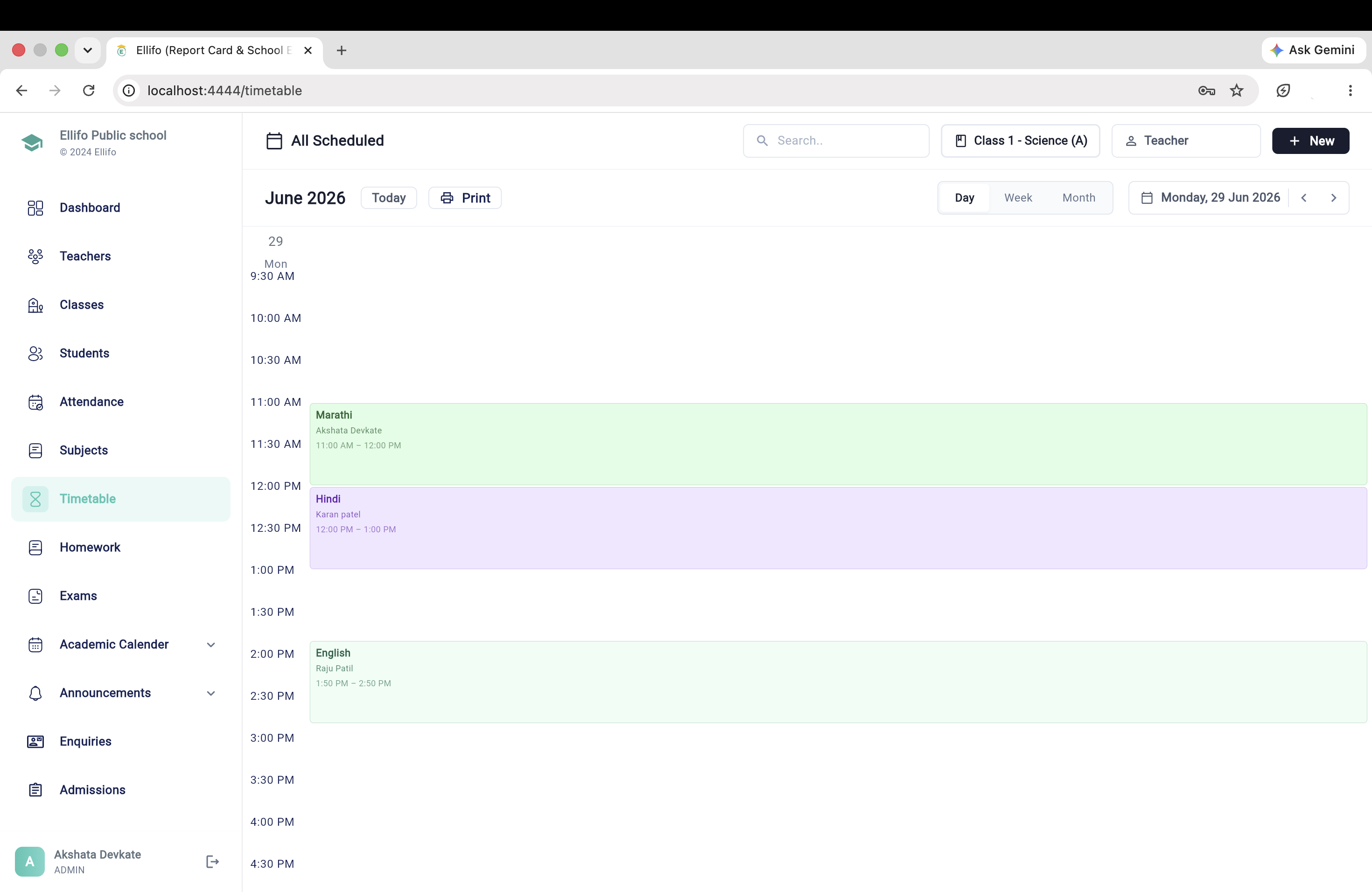
Designing a school timetable is a complex puzzle. Ellifo simplifies this by allowing you to define periods, subjects, and teacher availability. Our system helps you create structured schedules for every class and section with ease.
Automate the tedious task of mapping subjects to time slots while maintaining full control over special requirements like lab sessions or sports periods.
Optimized for students
Optimized for faculty
Never double-book a teacher or a classroom again. Ellifo's Timetable Pro features real-time conflict alerts that notify administrators if an instructor or resource is already allocated to another class at the same time.
Blocks assignment if teacher is busy elsewhere.
Prevents overlapping use of labs and halls.
Ensures teachers are not over-scheduled daily.
When a teacher is on leave, finding a replacement shouldn't take hours. Ellifo displays a list of free teachers for a specific period and allows administrators to assign substitutions instantly.
Notifications are automatically sent to the substitute teacher's mobile app, ensuring classes start on time without administrative chaos.
Absent Teacher
Mr. Akash Patel
Assigned Substitute
Mrs. Sneha Rao
Timetable changes are synchronized instantly across all platforms. Whether it's a permanent change or a one-day substitution, everyone stays informed.
Students see their daily schedule and substitution alerts on their dashboard.
Faculty can view their week's load and receive push notifications for substitutions.
Keep parents updated on class timing changes or special academic schedules.
Scheduling Clashes
Substitution Time
Mobile Sync
Digital Rosters
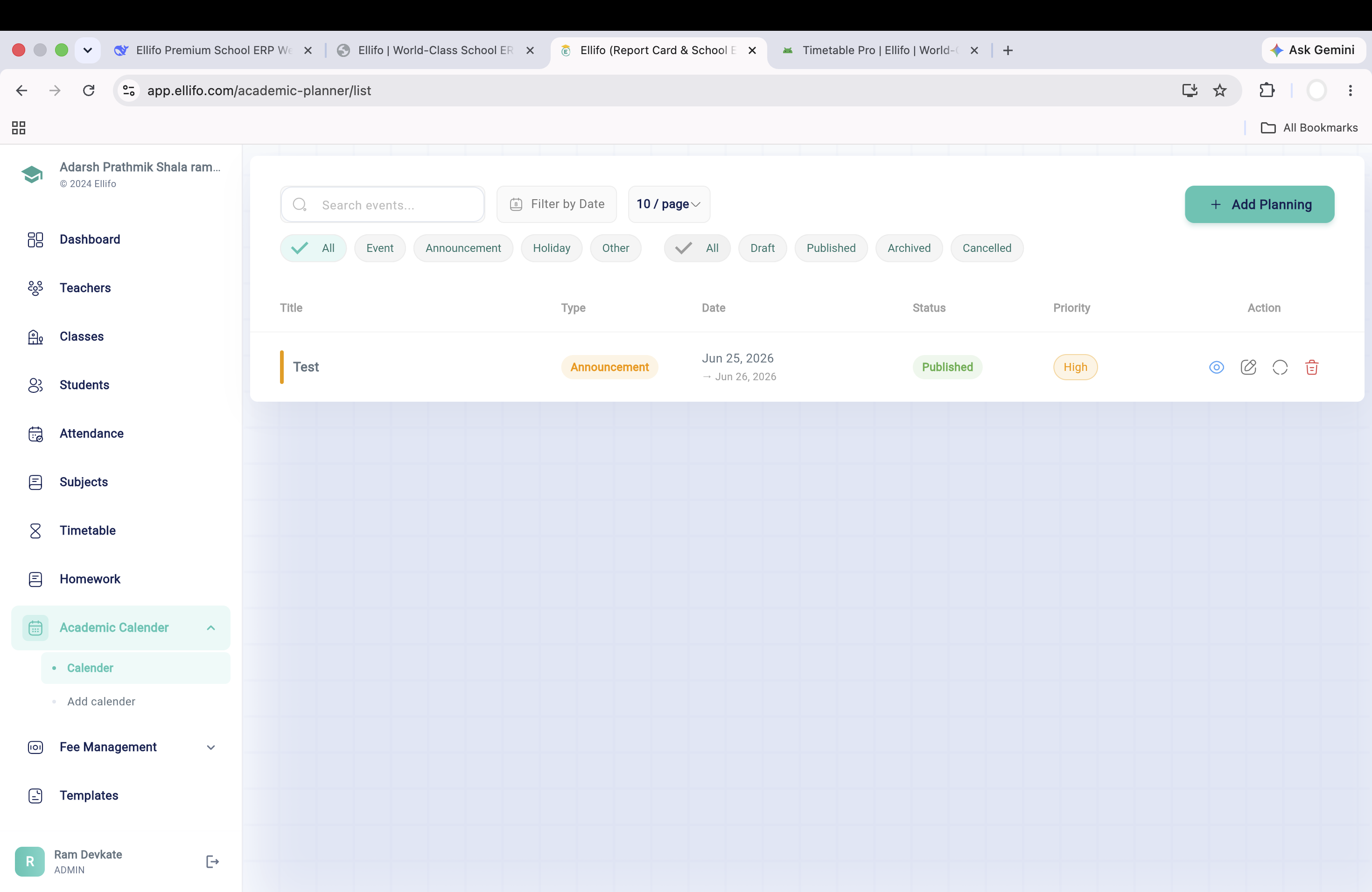
Map out your entire year in advance. From exam weeks and sports days to holidays and cultural events, keep the entire institution synchronized with a master digital calendar.
Stop wasting days on manual timetables. Experience the speed and accuracy of Ellifo's intelligent scheduling engine. Built for schools, colleges, and multi-campus universities.
A timetable looks like a simple grid until you have to fill it. Every subject needs a qualified teacher who isn't already occupied for the same period, every lab session needs a room that isn't double-booked, and constraints like a teacher's off day or a shared sports ground across three sections all have to hold true at once, school-wide, not just for one class. This is exactly the kind of problem manual spreadsheets get wrong — a fix for one clash routinely creates two more elsewhere in the grid. Add electives, split sections, and shared specialist teachers who move between branches, and the number of valid combinations shrinks fast enough that even an experienced timetable coordinator can spend the better part of a week just getting a first draft to a workable state.
Advanced Conflict Detection, described above, checks every new period assignment against the teacher's, room's, and class's existing commitments before it's saved — not after a printed timetable has already been handed out. If a teacher is already booked elsewhere, or a lab is already in use, the system blocks the entry and shows exactly where the conflict sits, so it gets fixed on the spot instead of surfacing in week two of term. The same check runs whether the change is being made months in advance during initial setup or on the fly mid-term, so a school reshuffling a section after admissions close gets the identical protection as one building its very first timetable.
Instant Teacher Substitution solves a specific, recurring problem: a teacher calls in sick before the first bell, and someone has to find a free colleague for four periods in a hurry. Ellifo surfaces every teacher's free periods for that day in one view, so an administrator can assign a substitute in under a minute — and the change reaches the substitute's phone, the affected students' apps, and the master timetable simultaneously, with no separate announcement required. Over a full term, that single minute saved per absence adds up to real instructional time recovered — periods that would otherwise sit unsupervised or get merged into an already-crowded neighboring class.
Schools with parallel sections use it to keep every class's schedule conflict-free without a dedicated timetable committee losing a week each term to it. Junior colleges and universities with elective subjects, where students from different classes mix into the same optional period, rely on Room Allocation and Workload Balance checks to stop popular electives from being scheduled into rooms too small to hold them. Multi-campus institutions run separate schedules per branch while keeping faculty workload visible to management across every campus at once. It also gives management a workload view across the institution: if one department is consistently running teachers close to their period limits while another has spare capacity, that imbalance becomes visible during planning rather than being discovered only after complaints start.
Yes. Once you input subjects, teacher availability, and room constraints, Ellifo proposes a conflict-free draft timetable that administrators can review and fine-tune before publishing it school-wide.
The system shows every teacher's free periods for the day in one view. An administrator assigns a substitute in under a minute, and the change pushes instantly to the substitute, students, and the master schedule.
Yes. Labs, practicals, and double periods can be configured with their own room and equipment constraints, so a chemistry lab never gets scheduled against a room already booked for computer practicals.
Yes. Morning and afternoon shifts, or entirely separate campuses, run as independent schedules within the same account, while faculty workload stays visible across all of them for management.
Yes. Any substitution or period change reflects immediately in the student and parent apps, so families know about a changed class before the school day even starts.
The Academic Calendar can be mapped for the full academic year in one sitting — exam weeks, holidays, and events included — and it's referenced by the timetable engine when placing periods.
Yes. Once finalized, a timetable can be locked so only authorized administrators can make edits, while teachers and students retain read-only access to the published version.